Distribution Engine VS Salesforce Omni-Channel.

Smarter Salesforce routing for leads, cases, & every object in between.

Sales and service teams need smart, no-code routing across every Salesforce object, not a patchwork of tools that an admin has to patch together. See why high-growth teams choose Distribution Engine over Salesforce Omni-Channel.
Trusted by Salesforce teams worldwide.

The lowdown on Salesforce Omni-Channel.

If you're relying on Salesforce's built-in routing tools, there are reasons to think twice about what you're building on.

Assembly required.

Salesforce doesn't have a routing product. It has four separate tools: Assignment Rules, Omni-Channel, Flow, and Apex. Each is configured separately, documented in a different place, and maintained by a different skill set. You're the integrator.

Focus on Service Cloud.

Omni-Channel is built for cases, chat, and messaging. Lead routing is technically possible, but in hands-on testing it didn't work correctly even after three hours of setup. For leads, opportunities, or custom objects, you're building from scratch.

Costly to maintain.

Every Flow, every Apex class, every custom field is tech debt your team owns. When something breaks, you're filing Salesforce cases or hiring consultants. The real cost isn't the software, it's the customisation and ongoing maintenance.

Already included.

If you're on Service Cloud, basic routing comes with your licence. For teams with straightforward case routing needs and Salesforce admin resource to spare, that's a genuine advantage worth acknowledging.

What Salesforce Omni-Channel users say.

We spoke to RevOps leaders, consultants, and admins who use Salesforce Omni-Channel. Here's what they told us.

"It hasn't changed one bit in years. It's overly complicated where it shouldn't be and too simple where it needs to be granular."

Service Operations Leader, Enterprise SaaS

"We switched from Omni-Channel because we needed more flexible rules, distribution hours, SLAs, and SLA notifications. It just couldn't do what we needed."

Salesforce Admin, Insurance

"You can't really use Omni-Channel for custom objects. We needed routing for record types it just doesn't support without building everything from scratch."

Operations Manager, B2C Marketplace
*Quotes are from real Salesforce Omni-Channel users. Names and companies anonymised.

"Before implementing Distribution Engine, our capabilities were limited to the generic lead flow process in Salesforce, clunky process builder apps, or complex Apex rules. This slowed down our rate of development and experimentation, and left many of our offices in other regions beholden to HQ for handling their rules. Distribution Engine has solved all these problems."

Read story

Jake Burton
Sales Operations Lead

Thanks Salesforce, we’ll take it from here.

Salesforce-native routing and lead matching shouldn't require you to build it yourself. Get everything you wanted from Omni-Channel, instantly, without writing a line of code.
Distribution Engine

Intelligent Lead Routing

No-code, automated lead routing with assignment rules built in clicks, not Apex. Match leads by skill, workload, or territory with weighted round-robin and auto-deduplication.

Distribution Engine

Lead Matching & Account Assignment

Automatic lead-to-account matching in Salesforce. Deduplicate leads before routing and match them to existing Accounts and Contacts for account-based routing.

Distribution Engine

Availability-Based Routing

Configure working hours, time zones, and out-of-office schedules. Distribution Engine skips unavailable reps automatically so records always land with someone who can act on them.

Distribution Engine

Weighting, Caps & Load Balancing

Control the workload across your team. Weight assignments so senior reps handle more records, cap volumes per person, and balance load automatically across the team.

Distribution Engine

Territory Management

Define and manage territories inside Salesforce. Assign by geography, zip code, or region. Auto-stamp records with territory data before routing, all without code.

Distribution Engine

Case Reading

View and action routed cases directly within Salesforce. Surface full case history, customer interactions, and status at a glance. Update, close, or escalate cases without leaving the record.

Distribution Engine

Track, Manage & Report

Full routing audit trail on every record. Monitor lead distribution, case assignment, SLAs, response times, and speed-to-lead in real time. Auto-reassign overdue records.

Distribution Engine

Empower Ops Teams

Reduce dependency on IT for routing rules. Configurable by admins, usable by customer-facing teams. Let the teams that own the work own the workflow.

Distribution Engine

SLAs & Reassignment

Track response times and enforce SLAs on every routed record. If SLAs breach, Distribution Engine auto-reassigns the record or escalates it. No manual chasing required.

Both tools

100% Salesforce Native

Both operate entirely inside your Salesforce org. No external data transfer, no third-party hosting.

Both tools

Queue-Based Routing

Both support routing records into Salesforce queues. Queues are the foundation for team-based work distribution in either approach.

Both tools

Skills-Based Assignment

Both can match work to agents or reps based on defined skill sets. Omni-Channel has native skills routing; Distribution Engine handles it through configurable rules.

Both tools

100% Salesforce Native

Both operate entirely inside your Salesforce org. No external data transfer, no third-party hosting.

Both tools

Queue-Based Routing

Both support routing records into Salesforce queues. Queues are the foundation for team-based work distribution in either approach.

Both tools

Skills-Based Assignment

Both can match work to agents or reps based on defined skill sets. Omni-Channel has native skills routing; Distribution Engine handles it through configurable rules.

TL;DR

Which one is right for you?

Salesforce Omni-Channel is the out-of-the-box routing option designed for Service Cloud. But for teams that need a no-code approach or complex lead routing, it falls short.

Choose Salesforce Omni-Channel when your routing needs are limited to simple case distribution in Service Cloud and you have admin resource to build and maintain the setup.
Distribution Engine is purpose-built lead routing software for Salesforce, covering leads, cases, and any custom object. It replaces the patchwork of Flows, Apex, and Omni-Channel configuration with a single product that ops teams can own and configure without developer support. Transparent pricing, support you can rely on, and no tech debt.

Choose Distribution Engine when you want routing that works out of the box, scales beyond  more than just cases, and doesn't require ongoing developer cost to maintain.
What our customers say.

Don’t just take our word for it!

“This speed-to-lead advantage directly impacted our bottom line. We estimate that our overall lead-to-placement conversion rate has improved by 15% since implementing Distribution Engine. When customers receive an immediate, caring response from a knowledgeable expert, they feel supported and are far less likely to reach out to competing agencies.”

Read story

Gabriel Essemini
Director of Digital Innovation

Distribution Engine has been essential in managing our lead flow and optimizing lead distribution. It’s helped us balance lead quality and volume effectively while managing our costs.

Read story
Hakan Citroglu
Salesforce Administrator

"Distribution Engine is the single most important tool we have on our sales team for controlling lead flow and experimenting with different lead scenarios."

Read story
Jake Burton
Sales Operations Lead

"Life Saver. It's saved the Salesforce team and business so much time. It's allowed us to implement processes and manage data in ways which we could have never achieved before, resulting in much more efficient data processes."

Read story
Alex MacRae
Salesforce Manager

"Salesforce should buy this app! Amazing customer service, incredible UI and advanced optionality that significantly extends routing logic in Salesforce for both Sales and Service Cloud. Gold standard of what an AppExchange solution should be."

Read story
Mark Spellman
Head of Delivery

"Long story short... amazing product, amazing support, amazing partner to have for so many years!"

Read story
Gina Skiotys
Salesforce Architect

"Distribution Engine has been a game changer in helping us respond to Support Cases faster. In just the first week of using it we reduced response times by 250%."

Read story
Sheryl Tilton
V.P. Customer Success

"I cannot say enough wonderful things about this app! It gives our teams the flexibility to manage the assignment rotation how they need to without investing multiple hours each day into the manual distribution of cases."

Read story
Becca Allen
Product Manager, Salesforce Configuration Lead

"Introducing Distribution Engine has transformed Clarivate’s lead management process by reducing the time taken to make lead assignment rule changes from weeks to minutes."

Read story
Kim Rabbitts
Snr. Demand Centre Director

"The implementation was super easy, the onboarding magnificent and their technical support is very prompt and always on point. Fantastic tool really a must have."

Read story
Giancarlo Amati
Salesforce Developer

"We love Distribution Engine and would highly recommend it to any organisation looking to consolidate their routing or distribution logic onto a single platform."

Read story
Jessica Meyers
Director, Marketing Operations and Technology

"Distribution Engine has totally transformed how we handle lead distribution. It’s fast, reliable, and keeps us ahead of the game."

Read story
Justin Norris
Director of Marketing & BDR Operations
Go further with Distribution Engine.

Smarter lead routing & case distribution in Salesforce.

Stop assembling routing from spare parts.

With Salesforce Omni-Channel, routing is spread across four different tools. Assignment Rules handle basic lead and case routing. Omni-Channel manages real-time service distribution. Flow adds business logic. Apex fills the gaps. Each tool is configured in a different part of Setup, documented in a different place, and maintained by a different skill set.

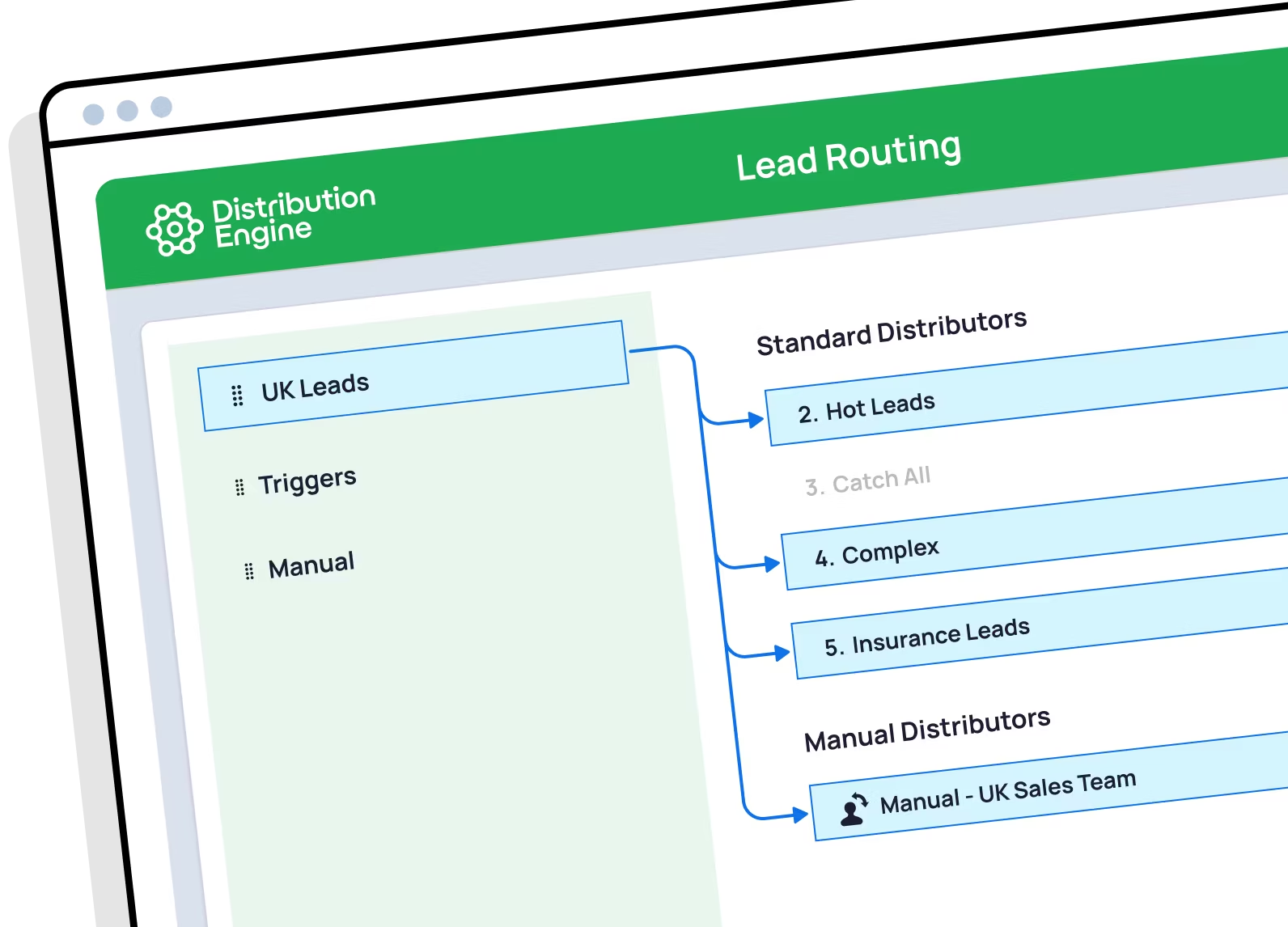
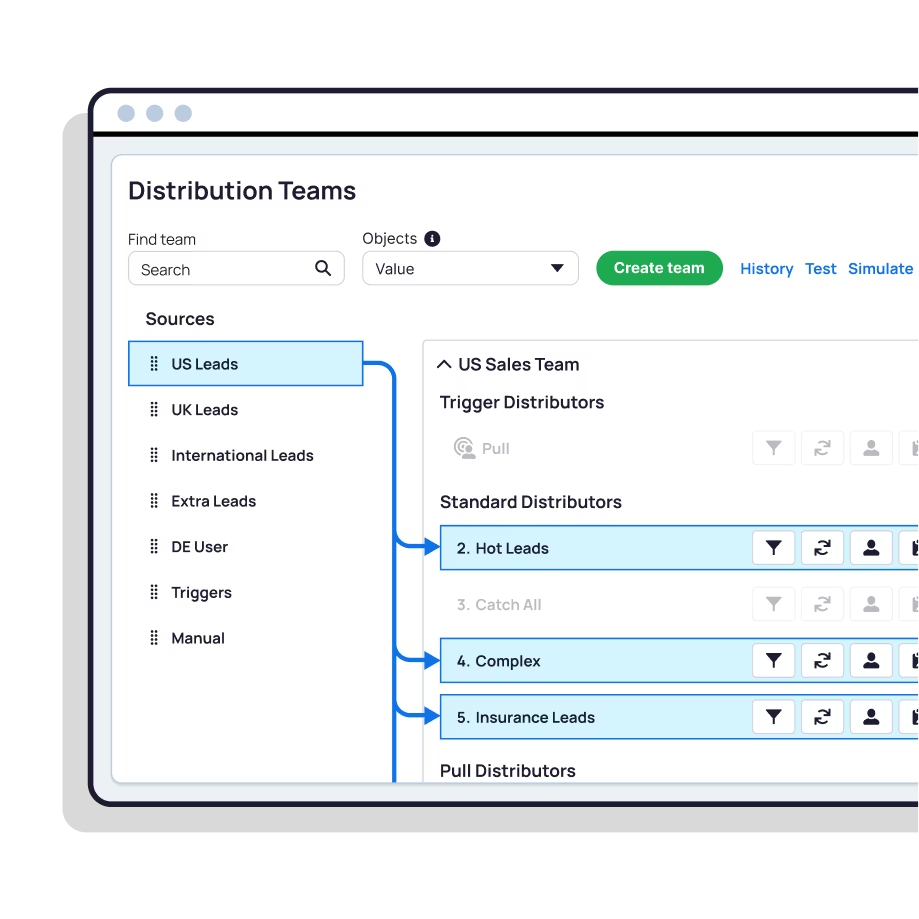
Distribution Engine centralises your entire routing setup in one app. Teams, rules, queues, weights, caps, territories, and monitoring are all configured from a single console. Your ops team can see and change routing logic without opening Flow Builder, writing Apex, or navigating between four different Setup screens.

Route every object, not just cases.
With Salesforce Omni-Channel, routing is built around Service Cloud. Cases, chat, and messaging route natively. But lead routing requires extra configuration and, in hands-on testing, still didn't work correctly. Opportunity and custom object routing means building Flows or Apex from scratch.

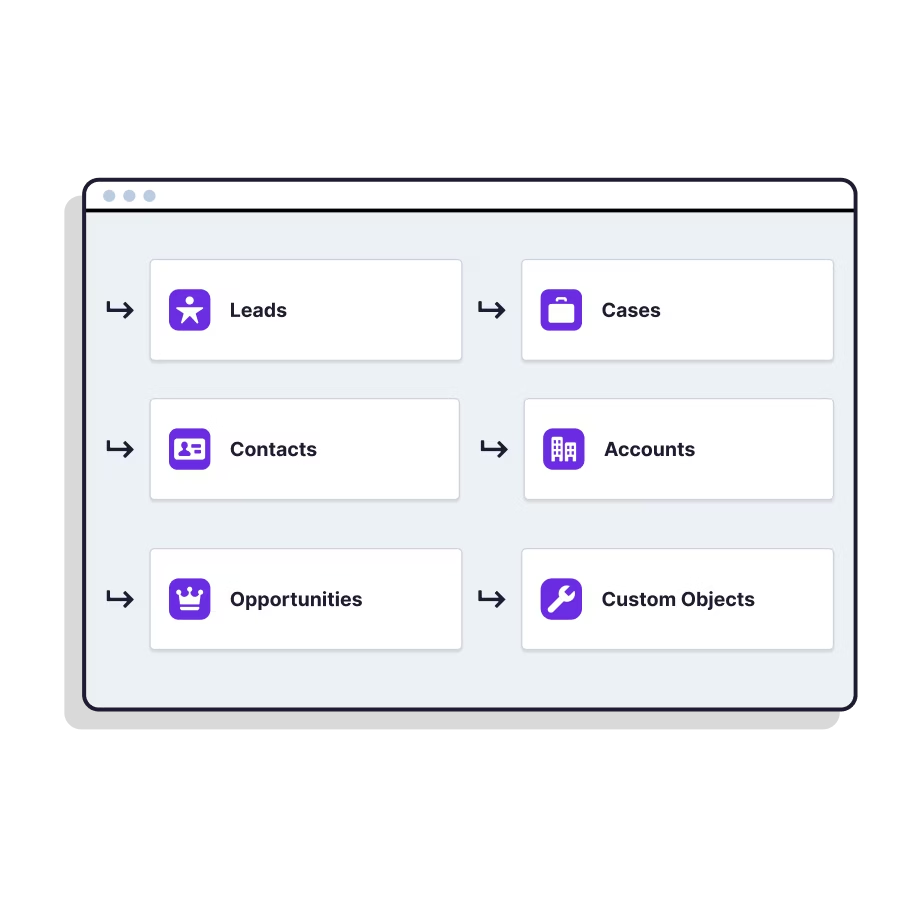
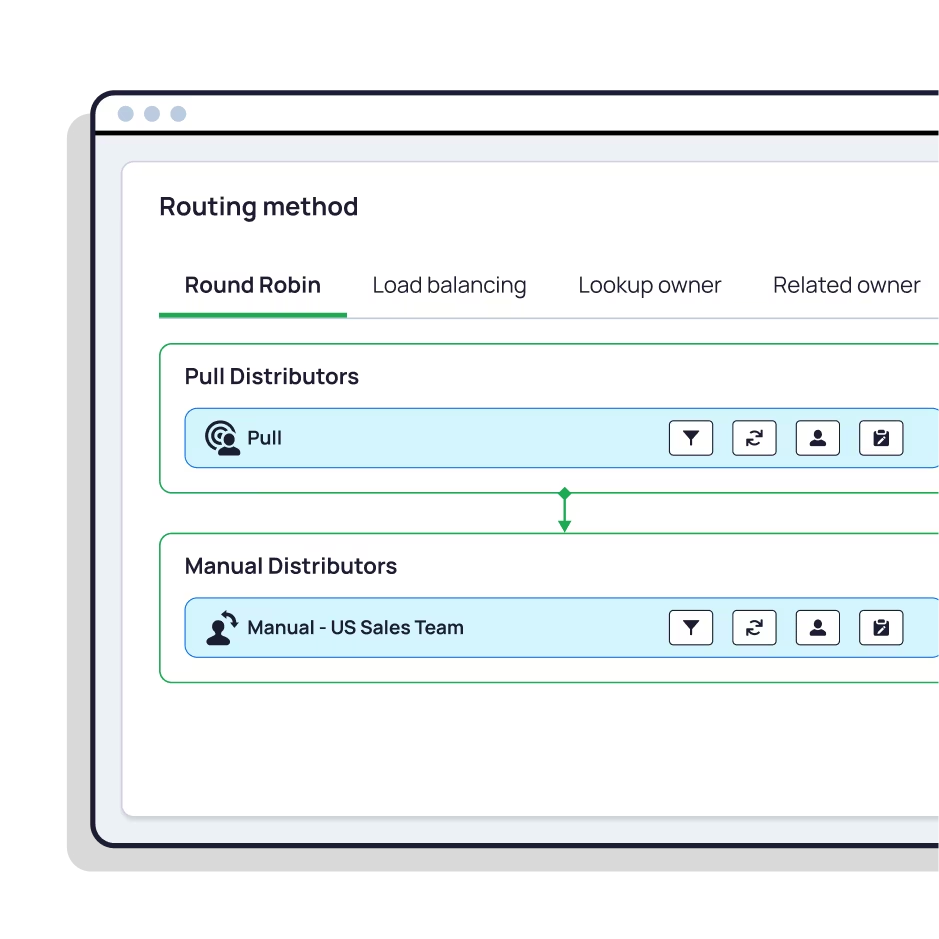
Distribution Engine routes leads, cases, contacts, accounts, opportunities, and custom objects using the same interface and logic. For service teams, it also handles the advanced routing logic that Omni-Channel still needs Flow or Apex to achieve: round-robin, weighted distribution, territory matching, and SLA enforcement.

Teams that own the work should own the workflows.

With Salesforce Omni-Channel, basic case routing is admin-friendly. But the moment you need round-robin, weighted distribution, or territory logic, you're in Flow Builder or writing Apex. Every Flow and custom field is tech debt that needs an admin or developer to maintain.

With Distribution Engine, your ops team runs this, not your developers. Sophisticated routing scenarios go live in hours, not weeks. And because it's self-serve, your customer-facing teams own and update their routing workflows without depending on ops or admins. Plus, when you need help, a dedicated team of routing experts is there to support you.

Distribution Engine vs Salesforce Omni-Channel.

More features to power your growth.

Feature
Distribution Engine
Salesforce Omni-Channel
Intelligent lead routing
Automated lead routing with assignment rules built in clicks. Match by skill, workload, territory, or any Salesforce field. No code required.
Lead routing requires additional Omni-Channel configuration (Service Channels, Presence Statuses, console app). In testing, leads didn't route correctly. Most teams use Flow or Apex instead.
Round-robin assignment
Fair, automatic round-robin for Leads, Cases, Opportunities, and any Salesforce object. Skips unavailable agents automatically.
Not available natively. Requires custom fields, formulas, or Flow to implement round-robin logic.
Weighting & caps
Weighted round-robin to control rep record volume. Set caps per team member. Configurable through point-and-click.
Requires Flow or Apex. No native weighted distribution or capping capability.
Load balancing
Automatic workload balancing across team members based on current assignment volume and configurable weights.
Omni-Channel balances by agent capacity for service items. Sales-side load balancing requires custom Flow or Apex.
Skill-based routing
Route records based on rep skills, expertise, or any custom attribute. Configurable through the routing rules engine.
Omni-Channel supports native skills-based routing for service work items. Not available for leads or other sales objects without custom build.
Routing by availability
Working hours and availability configuration built in. Automatically skips unavailable reps during distribution.
Omni-Channel has real-time presence management for service agents. No native availability routing for lead or opportunity assignment.
Territory management
Define territories inside Salesforce. Assign by geography, zip code, or region. Auto-stamp records before routing. Works with Enterprise Territory Management.
Requires Flow, Apex, or third-party tooling. No native territory classification for routing.
Lead matching & deduplication
Automatic lead-to-account matching. Deduplicate leads before routing. Match to existing Accounts and Contacts for account-based assignment.
Not available. Requires separate tooling or custom Apex development.
Case assignment & SLA management
No-code case assignment rules. Route by priority, skill, availability. Track and enforce SLAs. Auto-escalate overdue or breached cases.
Case Assignment Rules handle basic routing. SLA tracking available through Entitlements and Milestones, but requires separate configuration.
Multi-object routing
Route Leads, Cases, Contacts, Accounts, Opportunities, and Custom Objects from one interface using the same rules engine.
Omni-Channel supports Cases, Chat, and Messaging natively. Other objects require Flow or Apex. No unified routing interface.
Audit trail & reporting
Full routing audit trail on every record. Monitor distribution, response times, SLAs, and speed-to-lead in real time. Auto-reassign overdue records.
Record history and Omni-Channel supervisor panels. Custom reporting requires additional configuration.
Setup & onboarding
Point-and-click setup. A basic routing scenario tested and live in under an hour. Dedicated onboarding support from the vendor.
Requires configuring multiple components (Service Channels, Queues, Routing Configs, Presence). Basic setup took ~3 hours in testing; leads didn't route. Complex scenarios: 2-3 months.
Pricing
$20-$55/user/month. Transparent tiers. 30-day free trial. Minimum 5 licences.
Included in Service Cloud ($25-$350/user/month depending on edition). No separate routing cost, but implementation and ongoing maintenance are the real expense.

See how routing works when it's built right.

Watch Distribution Engine route leads, cases, and opportunities in a live Salesforce org. No slides, no marketing. Just the product.

Frequently asked questions.

Salesforce Omni-Channel vs Distribution Engine.

Can Salesforce Omni-Channel route leads?

Is Salesforce routing really free?

What happens when Standard Omni-Channel is retired?

Can Salesforce natively do round-robin or weighted distribution?

Does Omni-Channel work for opportunity or custom object routing?

What support does Salesforce offer for routing issues?

Your questions answered.

About Distribution Engine.

What does Distribution Engine do?

Is Distribution Engine 100% Salesforce native?

How much does Distribution Engine cost?

Can I try Distribution Engine before buying?

Does my team need a Salesforce developer to use Distribution Engine?

Stop configuring. Start routing.

See how Distribution Engine replaces Salesforce routing complexity with a single product your team will actually own. Book a free demo today.