
Salesforce Ben's AppAssessor review of Distribution Engine - check it out now!
Test it for free for 30 days or get in touch if you’d prefer to chat.
Fancy giving Distribution Engine a try?
Have a play around for free, or get in touch if you’d prefer to chat.
How to Audit Your Salesforce Lead Routing Logic (And Fix What's Broken)
Key takeaways:
Your Routing Logic Is Probably Broken (And You Don't Know It): Most Salesforce lead routing issues don't trigger error messages. They create slow, invisible revenue leaks - leads sitting in queues, hitting default owners, or reaching reps who can't work them.
Five Metrics Expose the Truth: Assignment-to-first-touch time, distribution parity, default owner rate, rule bypass frequency, and SLA breach rate will tell you exactly where your routing is failing.
Complexity Is the Enemy: As teams grow and rules accumulate, lead assignment logic becomes a tangle of overlapping criteria, catch-all queues, and undocumented workarounds. Auditing strips it back to what's working and what isn't.
Most Problems Are Configuration Problems: Broken routing rarely means broken code. It means outdated rules, missing field values, stale user assignments, or logic that hasn't been updated since the last territory change.
Fixing Requires Automation, Not More Rules: Adding more assignment rules to fix assignment rule problems is how you got here. Purpose-built distribution tools replace the spaghetti with scalable, auditable logic.
Distribution Engine Makes Routing Auditable By Design: NC Squared's Distribution Engine provides built-in visibility into every routing decision - who was assigned, why, when, and what happened next - making audit a dashboard exercise, not a detective investigation.
Here's a question for you RevOps leaders reading that may make you uncomfortable: when was the last time someone actually looked at your Salesforce lead routing logic?
Not glanced at it. Not assuming it was fine because nobody had complained recently. Actually opened it up, traced a lead through the full assignment path, and confirmed that every rule, every queue, and every fallback was doing what it was supposed to do.
For most teams, the honest answer is somewhere between "a long time ago" and "never."
And that's a problem, because Salesforce lead routing often doesn't break loudly. It breaks quietly. Leads trickle into default queues instead of reaching the right rep. Response times creep from minutes to hours. Distribution skews toward certain reps without anyone noticing. Revenue leaks accumulate silently underneath a system that appears to be working.
This guide walks through how to audit your Salesforce lead routing from end to end, identify the specific failure points, and fix them - either through configuration cleanup or through automation that makes these problems structurally impossible.
Why Lead Routing Breaks (And Why You Don't Notice).
Lead routing in Salesforce is one of those systems that gets configured once and then slowly drifts out of alignment with reality. Here's why:
Teams change faster than rules. Reps join, reps leave, territories shift, products launch. Every change should trigger a routing logic review. In practice, the changes happen and the rules don't get updated. The rep who left six months ago is still listed as a rule owner. The new territory boundary isn't reflected in the assignment criteria.
Rules accumulate rather than replace. When something breaks, the instinct is to add a new rule to handle the exception. Over time, you end up with dozens of assignment rule entries - some overlapping, some contradictory, some that nobody remembers creating. Salesforce evaluates these sequentially, and a lead can silently match the wrong rule simply because it appears earlier in the list.
Nobody owns routing. Routing sits in an awkward gap between Sales, Marketing, and Ops. Sales assumes Ops configured it properly. Ops assumes it's working because nobody has raised a ticket. Marketing assumes leads are being worked because the campaign dashboard shows delivery. The lead routing system itself has no advocate.
Failures are invisible. When a lead hits the default owner, Salesforce doesn't flag it as a problem. When distribution skews 60/40 instead of 50/50, there's no alert. When a lead sits in "New" status for 48 hours, the system doesn't complain. Routing failures surface as symptoms - slow response times, uneven pipeline, declining conversion rates - that get attributed to other causes.
The Five Metrics That Expose Broken Routing.
Before you start auditing rules and configurations, establish your baseline. These five metrics will tell you whether your lead routing is healthy, degraded, or actively broken.
1. Assignment-to-First-Touch Time.
This is the interval between a lead being assigned to a rep and the rep taking their first action (call, email, status change). It's the most direct measure of speed-to-lead - and the one most affected by routing issues.
Healthy benchmark: Under 10 minutes for high-intent inbound leads. Under 2 hours for general inbound.
What it tells you when it's high: Leads are either reaching reps who are unavailable (PTO, over-capacity, offline) or sitting in queues without clear ownership. Both are routing problems.
How to measure it: Create a formula field or report tracking the delta between Lead Owner assignment timestamp and first activity or status change. If you're using Distribution Engine, this data is available natively through its assignment tracking.
2. Distribution Parity.
Are leads being distributed evenly across your team? Or are some reps getting 30% more than others?
Healthy benchmark: Within 10% variance across reps in the same role and territory.
What it tells you when it's skewed: Your assignment rules favour certain reps - either through ordering logic, criteria overlap, or stale rule entries that funnel disproportionate volume to specific owners.
How to measure it: Run a report grouping lead count by owner for a defined period. Filter by lead source and territory to ensure you're comparing like-for-like.
3. Default Owner Rate.
What percentage of leads end up with your default lead owner (or in your catch-all queue) rather than being matched by a specific assignment rule?
Healthy benchmark: Under 5%.
What it tells you when it's high: Your assignment rules have gaps. Leads are falling through every rule entry and landing in the catch-all because no criteria matched. This usually means missing field values (blank State, blank Industry), outdated rule criteria, or lead sources that weren't anticipated when rules were built.
How to measure it: Report on leads where Owner = Default Owner or Queue = Default Queue. Cross-reference with the field values that your assignment rules evaluate to identify which gaps caused the miss.
4. Rule Bypass Rate.
How often are leads being manually reassigned after initial automatic assignment?
Healthy benchmark: Under 10%.
What it tells you when it's high: Your routing logic is getting it wrong often enough that reps or managers are regularly overriding it. Manual reassignment is a symptom - it means the system's output doesn't match the team's expectations. Either the rules are misconfigured or they're too simplistic for your current process.
How to measure it: Track Lead Owner change history. Filter for leads where the owner changed within the first 24 hours of creation. High churn here indicates routing decisions that are immediately corrected by humans.
5. SLA Breach Rate.
What percentage of leads exceed your defined response time targets?
Healthy benchmark: Under 5% for defined SLA thresholds.
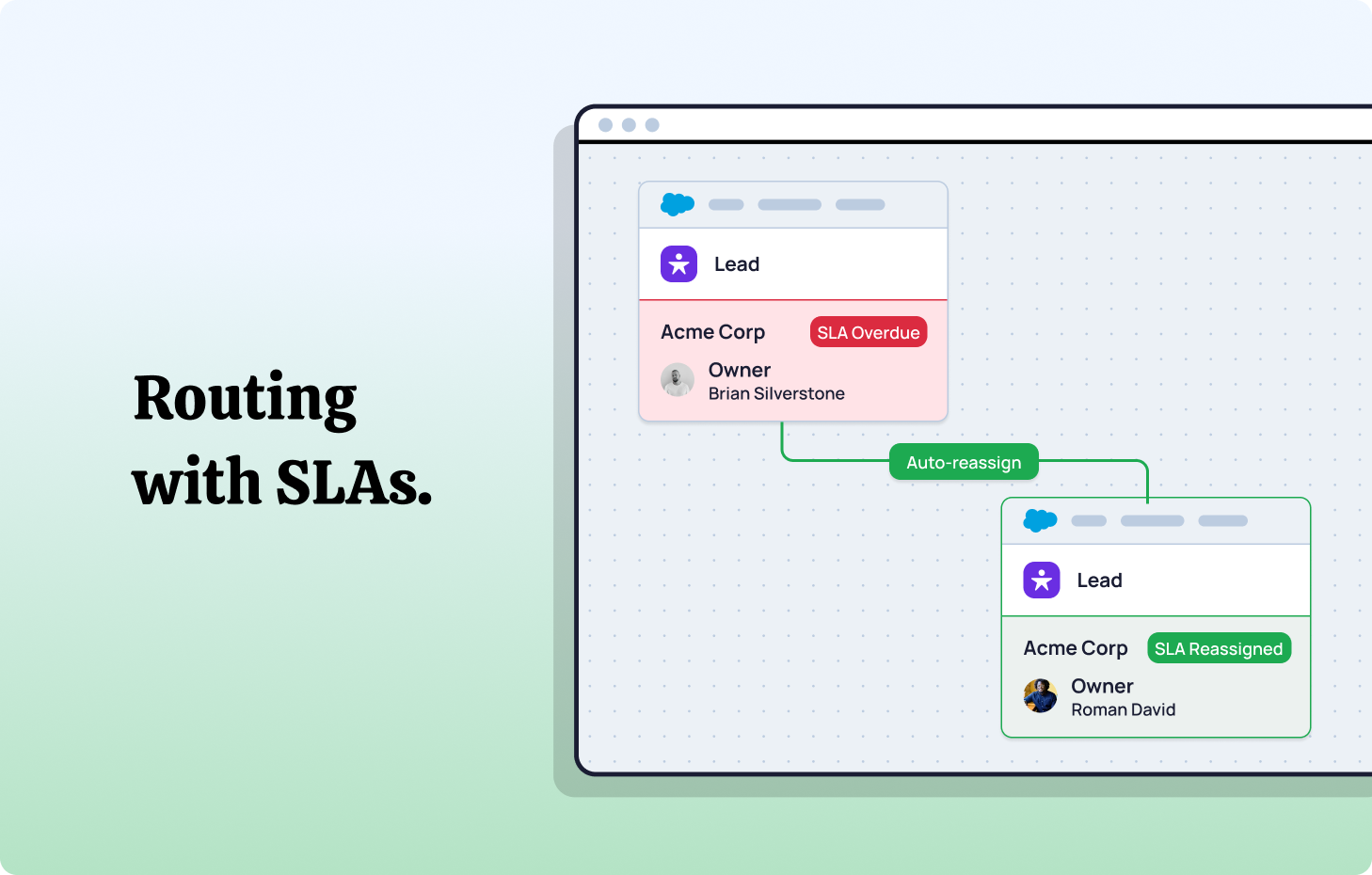
What it tells you when it's high: Either your routing is assigning leads to reps who can't action them in time (availability, capacity, skill mismatch), or you don't have SLA enforcement in your system and leads are decaying without accountability.
How to measure it: Compare lead assignment timestamp against first-touch timestamp across your defined SLA window. Distribution Engine provides native SLA tracking with automated alerts and reassignment when thresholds are breached.
The Step-by-Step Routing Audit.
With your baseline metrics established, here's how to systematically audit the routing logic itself.
Step 1: Map Your Current State.
Before you can fix anything, you need to know what's actually configured. In most organisations, nobody has a complete picture of the routing logic - it lives across assignment rules, Flows, Process Builder automations, Apex triggers, and possibly third-party tools.
Document every routing touchpoint:
Native assignment rules. Navigate to Setup → Lead Assignment Rules. List every rule entry, including the criteria, the assigned owner, and the order. Pay attention to which rule is marked "Active" - Salesforce only allows one active lead assignment rule at a time, and each entry within that rule is evaluated in sequence.
Flows and Process Builder. Check for automated Flows that reassign lead ownership based on triggers. These are easy to miss because they operate independently of assignment rules and may override the initial assignment.
Apex triggers. If your org has custom code that modifies Lead ownership, document it. Apex triggers fire on record creation or update and can override both assignment rules and Flow-based assignments.
Third-party tools. If you're using any external routing tool, document its configuration as well. Multiple routing systems operating simultaneously is a common source of conflict.
Queue membership. List all lead queues and their members. Verify that queue membership reflects your current team structure - departed reps still in queues is one of the most common routing errors.
Step 2: Trace a Lead Through the Full Path.
Take five real leads from the last week - ideally from different sources and geographies - and trace each one through the full routing path:
- What triggered the lead's creation? (Web form, import, manual, API)
- Which assignment rule entry matched? (Or did it hit the default?)
- Was the lead subsequently reassigned by a Flow or trigger?
- Who ended up owning the lead?
- How long until first touch?
This exercise reveals the actual routing path versus the intended routing path. The gap between the two is where your problems live.
Step 3: Identify Dead Routes.
Dead routes are assignment rule entries that point to users who no longer exist, no longer hold the relevant role, or are permanently unavailable:
Departed reps. Any rule entry that assigns leads to a user who has left the organisation. Salesforce doesn't automatically update assignment rules when a user is deactivated.
Role changes. A rep who moved from Mid-Market to Enterprise six months ago is still receiving Mid-Market leads because the rule wasn't updated.
Inactive queues. Queues that were created for a specific campaign or team structure that no longer exists, still receiving leads with nobody monitoring them.
Walk through every rule entry and verify the assigned owner is active, in the correct role, and currently working leads. This single step eliminates a significant percentage of routing failures in most orgs.
Step 4: Test Rule Ordering and Overlap.
Salesforce evaluates assignment rule entries from top to bottom and assigns the lead to the first matching entry. This means rule ordering matters enormously - and overlapping criteria can cause leads to match the wrong rule.
Test methodology: Create a test lead that matches criteria for multiple rule entries. Observe which entry catches it. If the wrong rule fires, you have an ordering problem.
Common overlaps to check for:
- Geographic rules where a lead could match both "West Coast" and "California" entries
- Industry rules where "Technology" overlaps with "SaaS"
- Revenue tier rules where boundary values fall into multiple ranges
Resolve overlaps by making criteria mutually exclusive or by ordering rules from most specific to most general.
Step 5: Audit Data Quality.
Your routing rules are only as good as the data they evaluate. If the fields your rules depend on are frequently blank, inconsistent, or incorrect, your routing accuracy will suffer accordingly.
Key fields to audit:
Lead Source. Is this field populated consistently? Are values standardised? "Web" and "Website" and "Webform" in the same field breaks any rule that evaluates Lead Source.
State/Country. Geographic routing depends on clean location data. Check your completion rate. If 20% of leads have blank State fields, 20% of geographically-routed leads will miss their target.
Industry. If your routing segments by vertical, verify that Industry values match your rule criteria exactly. A picklist value of "Information Technology" won't match a rule expecting "Technology."
Company Size / Revenue. Numeric fields used in tiering rules need to be populated and formatted consistently. Blank values default to null, which won't match any range-based criteria.
For teams with persistent data quality issues, Distribution Engine's Territory Classifier addresses this at the point of lead creation - normalising address fields, inferring geography from partial data (like deriving state from phone area code), and enriching records before routing rules evaluate them.
Step 6: Assess Capacity and Availability.
Even perfectly configured routing rules will fail if they assign leads to reps who can't work them. This is the gap between "correctly routed" and "effectively routed."
Check for:
No availability awareness. Native Salesforce assignment rules don't know if a rep is on PTO, in an all-day meeting, or at capacity. They assign based on criteria alone - regardless of whether the rep can actually respond.
No capacity limits. Without load balancing, high-performing reps can be buried under an unsustainable volume of leads while others sit idle. Standard assignment rules distribute based on criteria match, not workload.
Timezone misalignment. A lead created at 9am EST that's assigned to a West Coast rep at 6am PST will sit untouched for hours. If your routing doesn't account for business hours and timezone, response times will suffer.
These are problems that additional assignment rules can't solve. They require routing logic that's aware of real-time conditions - availability, capacity, calendar status - not just static field matching.
Common Routing Failures and How to Fix Them.
Based on the audit findings, here are the most common failures and their fixes.
Failure: Leads hitting the default owner.
Root cause: Assignment rule gaps. One or more field values on the lead don't match any rule entry criteria.
Quick fix: Add catch-all logic that routes unmatched leads to a manager or triage queue rather than a default owner. Then investigate which field values are causing the miss and either update your rules or clean your data.
Permanent fix: Use a routing engine that handles exceptions dynamically. Distribution Engine's fallback logic ensures every lead reaches a valid owner - even when primary matching criteria aren't met - by cascading through secondary assignment logic (round-robin, capacity-based, or territory defaults).
Failure: Uneven lead distribution.
Root cause: Rule ordering bias, overlapping criteria, or absence of balancing logic. Standard assignment rules don't include round-robin or load balancing - they assign to the first match, every time.
Quick fix: Reorder rules to distribute more evenly and eliminate overlaps.
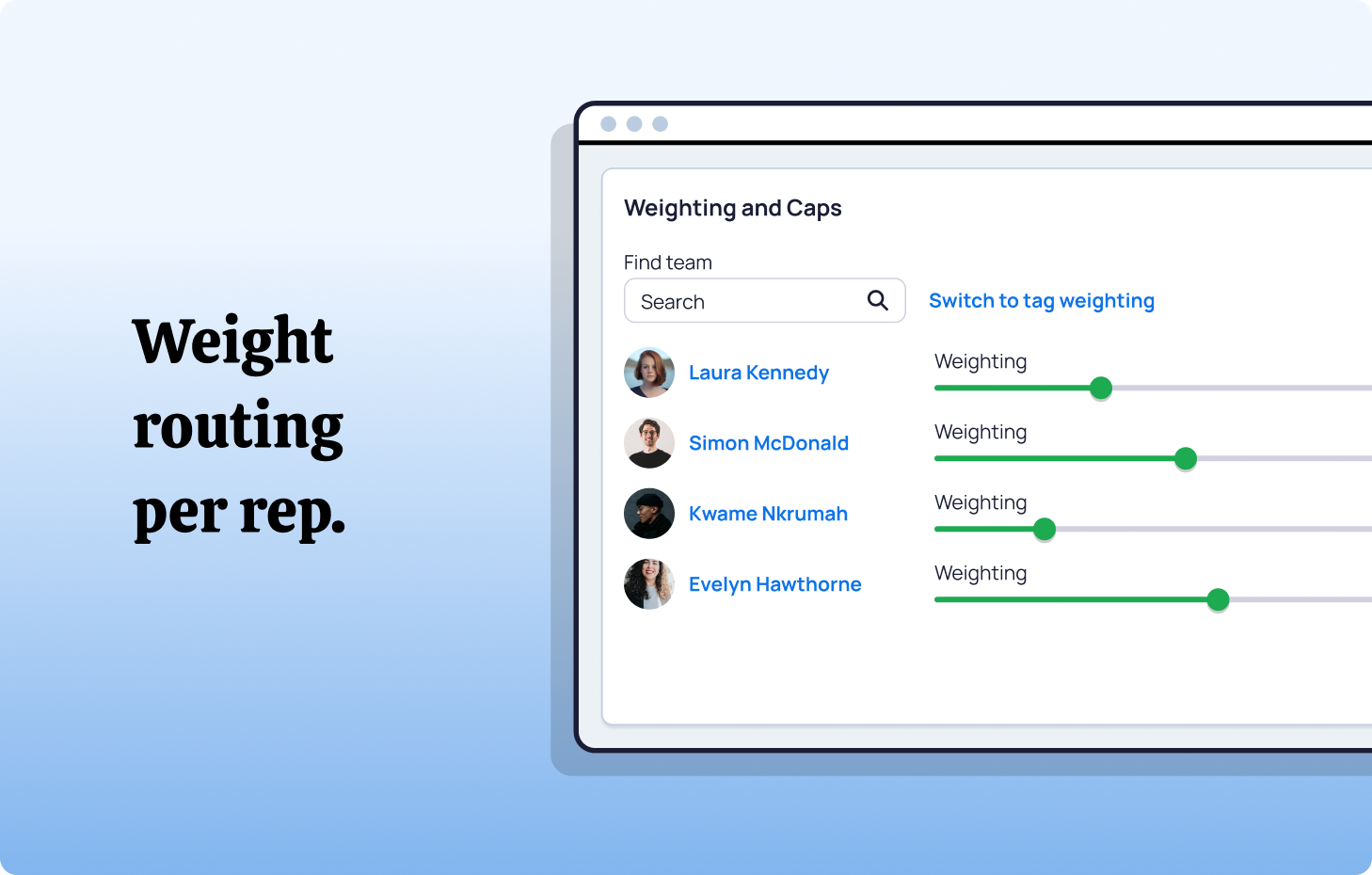
Permanent fix: Replace rule-based assignment with round-robin or capacity-based distribution. Distribution Engine distributes leads using configurable algorithms - round-robin, weighted, or load-balanced - ensuring parity across reps without manual rule management.
Failure: Slow response times.
Root cause: Leads assigned to unavailable reps (PTO, offline, over-capacity) with no fallback or reassignment logic.
Quick fix: Manually monitor the lead queue daily and reassign stale leads.
Permanent fix: Implement SLA-based routing with automatic reassignment. Distribution Engine tracks response time against configurable SLA thresholds and automatically reassigns leads that aren't worked within the window - no manual monitoring required.
Failure: Misrouted leads in overlapping territories.
Root cause: Territory assignment rules with overlapping criteria, or leads with incomplete geographic data that can't be cleanly classified.
Quick fix: Audit territory rules for overlap and add mutual exclusivity clauses.
Permanent fix: Implement territory management with automated classification. Distribution Engine's Territory Classifier normalises and enriches geographic data before routing rules evaluate, reducing misroutes caused by data quality issues.
Failure: Routing logic that nobody understands.
Root cause: Years of accumulated rules, Flows, triggers, and workarounds created by different admins at different times, with no documentation.
Quick fix: Document the current state (your audit should produce this).
Permanent fix: Consolidate routing into a single, visible system. Distribution Engine replaces the patchwork of assignment rules, Flows, and triggers with a unified routing configuration that's visible, auditable, and manageable by RevOps teams without developer support. Every routing decision is logged, every rule is visible, and every change is trackable.
Building a Routing System That Stays Auditable.
The point of an audit isn't just to fix what's broken today. It's to build a system that doesn't break silently tomorrow.
Replace invisible logic with visible logic.
Assignment rules in Salesforce are configured in Setup and evaluated in the background. When they work, nobody thinks about them. When they fail, diagnosing the problem requires reverse-engineering the evaluation path.
Distribution Engine makes routing logic visible by design. Every distribution rule, every assignment decision, and every reassignment is logged and reportable. When something doesn't work as expected, you can see exactly what happened and why - without guessing.
Build dashboards, not spreadsheets.
Your five baseline metrics (assignment-to-first-touch time, distribution parity, default owner rate, rule bypass rate, SLA breach rate) should live in real-time dashboards, not quarterly reports. Routing problems compound over time - the sooner you spot a degradation, the cheaper it is to fix.
Distribution Engine provides native dashboards for routing performance, including assignment distribution, SLA compliance, and team workload - giving managers visibility without custom report building.
Schedule quarterly routing reviews.
Put a recurring calendar event on your RevOps calendar: quarterly routing audit. Walk through the six-step process above. Verify that rules reflect current team structure, territory boundaries, and business logic. Check for dead routes. Validate data quality on routing-critical fields.
Quarterly is the minimum cadence. After any significant team change (new hires, departures, territory restructures), run the audit immediately.
Separate routing ownership from CRM administration.
Routing logic should be owned by RevOps, not by a Salesforce admin who also manages page layouts, permission sets, and report types. Routing is a revenue function. It needs an owner who understands the sales process, the territory structure, and the pipeline implications of every routing decision.
Distribution Engine supports this by providing a configuration interface designed for RevOps teams - not just Salesforce administrators. Sales managers can toggle reps in and out of distribution, adjust capacity, and manage availability without filing an admin ticket.
When to Move Beyond Native Assignment Rules.
Native Salesforce assignment rules work for simple routing scenarios: a small team, a single territory, straightforward criteria. They start failing when any of the following are true:
Your team exceeds 10-15 reps. The complexity of maintaining mutually exclusive rule entries across territories, tiers, and specialisms becomes unmanageable.
You need availability awareness. Native rules don't know if a rep is online, at capacity, or on holiday.
You need workload balancing. Round-robin, weighted, and capacity-based distribution aren't possible with standard assignment rules.
You need SLA enforcement. Native rules have no concept of response time tracking or automatic reassignment.
You need auditability. Understanding why a specific lead was routed to a specific rep requires detective work with standard rules. Purpose-built routing tools make every decision transparent.
You need cross-object routing. If you route Leads, Cases, and Opportunities with different logic, managing three separate sets of assignment rules (plus Flows and triggers) becomes a maintenance burden.
When these conditions are true - and for most scaling teams, several of them are - the right move is to consolidate routing into a purpose-built platform.
From Audit to Automation with NC Squared.
Auditing your Salesforce lead routing reveals the problems. Automation prevents them from coming back.
Distribution Engine replaces the patchwork with a system.
- Visible routing logic that's configurable by RevOps without developer support
- Real-time distribution using round-robin, weighted, territory, or capacity-based algorithms
- Availability and capacity awareness that excludes offline or overloaded reps automatically
- SLA tracking with auto-reassignment that ensures every lead is worked on time
- Territory classification that cleans and enriches data before routing decisions are made
- Lead-to-account matching that prevents misroutes into existing customer accounts
- Full audit trail for every routing decision - who, why, when, and what happened next
- Native dashboards for distribution parity, response times, and SLA compliance
Because it's 100% Salesforce-native, Distribution Engine replaces your assignment rules, Flows, and triggers with a single routing layer that's visible, auditable, and scalable. No external integrations. No data sync issues. No security concerns.
Across 20,000+ users, teams running Distribution Engine see routing accuracy above 95%, response times compressed from hours to minutes, and conversion uplifts of 30-40%.
If your last routing audit revealed more questions than answers, it's time to build a system that audits itself.
See how Distribution Engine makes lead routing visible, measurable, and self-correcting - directly inside Salesforce.
Fancy giving Distribution Engine a try?
Have a play around for free, or get in touch if you’d prefer to chat.



Take us for a spin with a 30 day Free Trial
Have a play around for free, or get in touch if you’d prefer to chat.
%20dark.avif)